
Modern Android users continue searching for flexible tools that improve daily device experiences while keeping privacy and customization in focus. Lightweight applications with clean interfaces are becoming popular among people who prefer simple designs, smooth performance, and personal control over their smartphones.
Kvaesitso represents a new approach to Android productivity by combining search features, organization options, and customization possibilities. Its growing interest comes from users looking for an alternative experience that feels efficient, modern, and adaptable without unnecessary complexity.
Understanding Kvaesitso Before Installation
Kvaesitso is an open-source Android launcher designed to provide a powerful search-focused experience. It helps users access applications, contacts, settings, and other device features through a streamlined interface. The application focuses on speed, privacy, and flexibility while allowing users to personalize their smartphone workflow.
Read More: Is Kvaesitso free to use?
Before installing Kvaesitso, users should ensure their Android device meets basic requirements for running the application smoothly. Checking device compatibility, available storage space, and Android version helps create a reliable installation experience without unexpected interruptions.
Installing Kvaesitso Through F-Droid
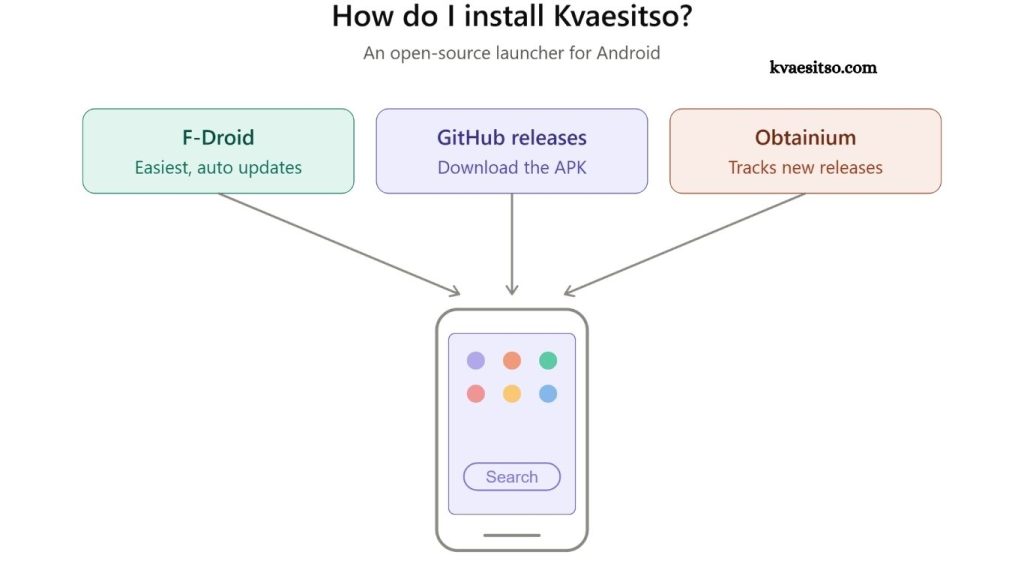
The recommended method for installing Kvaesitso involves using F-Droid, an open-source platform that provides verified Android applications. Users can visit the official F-Droid website, download the F-Droid client, and complete the setup process on their Android device before searching for Kvaesitso.
After opening F-Droid, users can search for Kvaesitso within the application library and select the available package. The installation process follows standard Android app installation steps, allowing the launcher to be added safely while maintaining the benefits of open-source software.
Installing Kvaesitso Using APK Files
Users who prefer direct installation can download the Kvaesitso APK file from a trusted source. APK installation allows Android users to manually add applications outside traditional app stores, although enabling installation from unknown sources may be required through device security settings.
After downloading the APK file, users can open the package and follow the Android installation instructions. Once installation finishes, Kvaesitso becomes available on the device, allowing users to explore its search tools, customization options, and launcher features.
Setting Up Kvaesitso After Installation
The first launch of Kvaesitso introduces users to configuration options designed to personalize the Android experience. Users can adjust appearance settings, search preferences, application access options, and other features according to their individual requirements.
Proper setup helps users get maximum value from Kvaesitso because the launcher focuses heavily on efficient navigation. Customizing available options creates a smoother workflow and allows the application to match personal usage habits.
Making Kvaesitso the Default Android Launcher
After installing Kvaesitso, users can improve accessibility by selecting it as the default launcher. Android devices usually provide launcher selection options through system settings, allowing users to replace the existing home screen experience with Kvaesitso.
Choosing Kvaesitso as the default launcher provides quicker access to its search-driven interface and customization features. Users can continue modifying settings over time to create a personalized Android environment that supports daily tasks more effectively.
Troubleshooting Common Kvaesitso Installation Issues
Some users may experience installation difficulties caused by device restrictions, outdated Android versions, or security permissions. Reviewing download sources, checking storage availability, and confirming required permissions can help resolve many common problems during installation.
Application updates and community support resources can also help maintain a stable Kvaesitso experience. Keeping the application updated ensures access to improvements, bug fixes, and enhanced compatibility with newer Android devices.
Benefits of Using Kvaesitso on Android Devices
Kvaesitso offers a clean and efficient alternative for users who want faster access to smartphone features. Its search-centered design reduces dependency on traditional app layouts while creating a more organized way to interact with Android systems.
Privacy-focused users may appreciate the open-source nature of Kvaesitso because it provides transparency and greater control over application behavior. Combined with customization features and responsive performance, the launcher creates a practical option for modern Android users.
About Kvaesitso Installation
Installing Kvaesitso provides Android users with an opportunity to explore a different style of smartphone interaction. The process remains accessible through trusted installation methods, making it suitable for users interested in improving device organization and navigation.
With proper setup and customization, Kvaesitso can become a valuable part of an Android workflow. Its focus on simplicity, privacy, and efficient search makes it an appealing choice for users seeking a modern launcher experience.
Conclusion
Kvaesitso provides Android users with a modern launcher experience focused on simplicity, privacy, and efficient navigation. Its installation process allows users to explore a cleaner way of managing applications, searches, and device features while enjoying greater customization options.